PharmApp
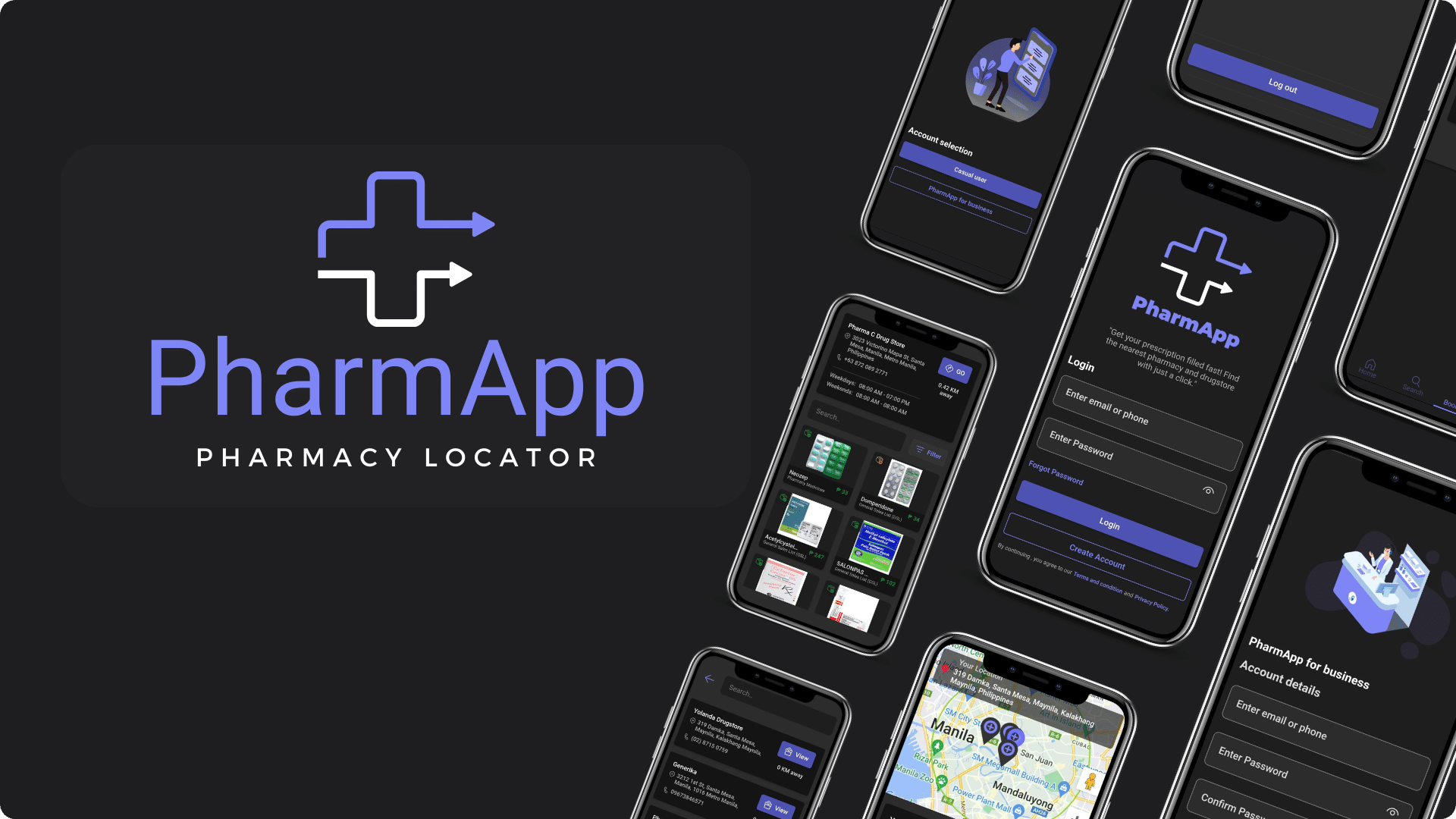
PharmApp is a mobile app that helps you find nearby pharmacies, check product availability, and get directions, while pharmacies can manage their profiles and inventory.
Project Overview
PharmApp is a groundbreaking mobile application designed to facilitate communication between pharmaceutical stores and customers. It offers a dynamic set of features, addressing the unique needs of both parties.
For a more comprehensive understanding of the PharmApp project, you can access the PowerPoint presentation on Canva, which offers in-depth insights
Scope and Limitations
PharmApp, a revolutionary mobile application, serves as the bridge of communication between pharmaceutical stores and customers. It offers a dynamic set of features, catering to the unique needs of both parties:
Pharmaceutical Stores
- Ability to create and register their store profile.
- Manage and update their product inventory.
- Easily toggle product statuses between "out of stock" and "in stock."
- Access real-time system information.
- Set store availability.
For Customers
- Create and register customer access profiles.
- Seamlessly search for nearby stores.
- Locate specific medicines within store profiles.
- Check real-time product statuses.
- Utilize map guidance to reach the store's location.
Google Maps Api
- Create a Google Cloud Project: If you don't have one, create a project on the Google Cloud Console.
- Enable the Google Maps JavaScript API: In your Google Cloud Project, navigate to the API Library and enable the Google Maps JavaScript API.
- Get an API Key: Under "Credentials," create an API key. This key is needed to use the Google Maps API.
- Integrate the API Key: In your project's HTML file, add a script tag with the API key in the URL. For example:
- Initialize the Map: In your JavaScript code, create a function (e.g.,
initMap) to initialize the map and specify the map's properties (e.g., center, zoom level). - Display the Map: Add an HTML element (e.g.,
<div id="map"></div>) where you want the map to appear. - Customize the Map: You can further customize the map with markers, infowindows, and various features using the API's documentation and code examples.
Limitations
- Optimized for Mobile Use: PharmApp is optimized for use on mobile devices, ensuring a responsive and user-friendly experience on smartphones and tablets.
- No Transaction Completion: Please note that transactions cannot be completed through the application. The primary focus is to facilitate communication and information sharing between customers and pharmaceutical stores.
Final Thoughts
PharmApp is a mobile application that aims to improve the interaction between pharmaceutical stores and customers. By providing a convenient and informative platform, it simplifies the process of finding medicines and store information. While it has certain limitations, it serves as a valuable tool for both customers and pharmaceutical stores, enhancing the overall experience of obtaining essential medications. Thank you for being a part of this innovative endeavor.